
01
Clinic and hospital profile
Help patients recognize the clinician they expect to meet.
Use even light, clear eyes, a calm expression, and only the real attire and setting appropriate to the role and institution.
Professional headshot use case
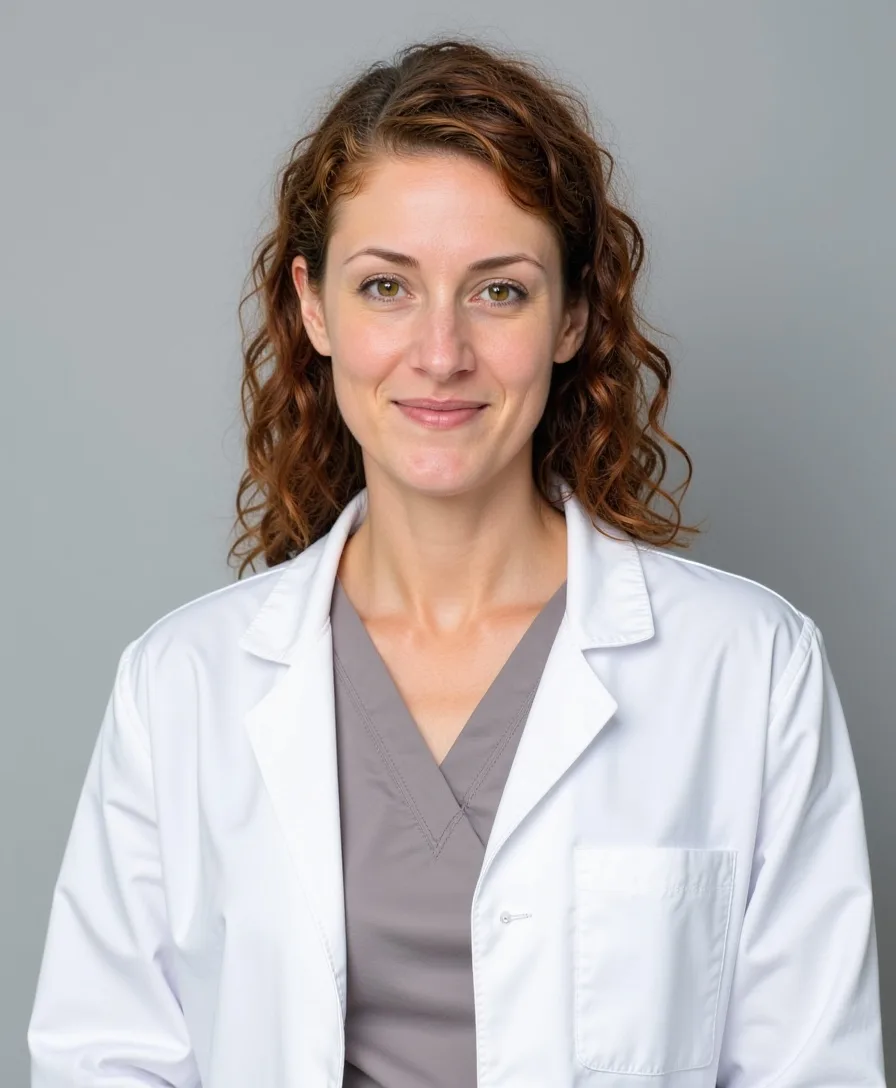
Create trustworthy doctor headshots for clinic websites, hospital directories, professional associations and medical speaker bios.
Doctor headshots
Medical profiles need clarity and trust. Natural expression, clean light and an uncluttered background help patients recognize the person they expect to meet.


Our perspective
A doctor headshot is often seen while a patient is deciding whom to trust, a colleague is reviewing a referral, or an organizer is preparing a medical speaker profile. The portrait should balance professional competence with enough warmth to reduce distance.
AI introduces a strict boundary: never add a white coat, specialty setting, badge, institution, title, or medical equipment that the person does not actually use. A calm, recognizable face in a simple setting is more credible than a polished image that implies false credentials.
AI photo quality control
Good inputs reduce guesswork, but every generated image still needs a human review. Check identity and factual accuracy before style or polish.
Before generation
Upload clear solo photos from the last one or two years. Heavy beauty filters, old photos, group crops, and repeated accessories teach the model the wrong face or the wrong era of your appearance.
If glasses, facial hair, hair length, or a distinctive parting define how people recognize you, show them consistently. Mixed signals encourage the model to average away familiar details.
Include straight-on and slight three-quarter views with a small range of natural expressions. Variation should explain your face, not mix different hairstyles, ages, filters, or dramatically different body weights.
A LinkedIn circle, company directory, speaker page, and printed sign need different crops and levels of formality. Decide where the image will appear before choosing clothing, background, and expression.
Uniforms, badges, offices, institutions, luxury settings, and specialist equipment can imply credentials or affiliations. Generate them only when they accurately reflect the person and intended use.
After generation
The result is attractive but changes face shape, eye spacing, nose, age, skin tone, or another feature people use to recognize the person.
Over-smoothing removes pores, lines, and natural variation; aggressive sharpening can create waxy texture or make the subject look older or younger than they are.
Check iris direction, eyelids, catchlights, lens edges, frame symmetry, and whether hair or skin incorrectly passes through the glasses.
Common defects include repeated teeth, uneven ear shapes, smeared hair edges, impossible strands, and facial hair that dissolves into skin or clothing.
Inspect collars, lapels, buttons, earrings, necklaces, ties, and jacket seams. AI often merges them, duplicates them, or makes one side structurally different from the other.
Background signs, book spines, badges, logos, window frames, and shelves may contain gibberish or geometry that looks plausible only at first glance.
The face, hair, clothing, glasses, and background should share one believable light direction. Watch for mismatched shadows, reflections, edge glow, and pasted-on depth blur.
A generated coat, badge, office, courtroom, hospital, skyline, or luxury interior can make a false professional claim even when the face itself looks convincing.
Reject the image if a colleague would hesitate to recognize the person, if any anatomy or object looks structurally wrong, or if the setting implies a role, credential, employer, or lifestyle that is not true.
Use the image with intent
One profession can still require different signals. Choose the context first, then decide on expression, clothing, background, and crop.
Help patients recognize the clinician they expect to meet.
Use even light, clear eyes, a calm expression, and only the real attire and setting appropriate to the role and institution.
Present expertise in a format that travels across programmes and publications.
Choose a neutral studio or office portrait with a clean crop, restrained clothing, and enough room for editorial layouts.
Feel clear, present, and conversational on a screen.
A slightly warmer expression and brighter background can reduce distance, provided the image still reflects the clinician's real appearance.
Use clean studio, office or clinical backgrounds with even light. Select attire that accurately reflects your real role and workplace; do not create credentials or uniforms you do not use.
Upload recent, unfiltered photos with a calm expression and visible eyes. If glasses are part of your daily appearance, include them consistently.
Upload 6–10 recent solo photos; 8 recommended. Photo requirements
Role-specific input plan
Avoid low-trust results
Do not generate badges, logos, embroidered names, white coats, scrubs, hospital rooms, or equipment that could misstate a role or affiliation.
Over-smoothed skin, changed age, altered face shape, or unfamiliar hair can make a patient less likely to recognize the clinician.
A paediatrician, surgeon, therapist, researcher, and hospital leader may need different balances of warmth, formality, and clinical context.
Final selection
Review the face first, then the professional presentation. A beautiful result that changes the person is not a successful headshot.
Practical questions
Only when it accurately reflects the person's role and intended profile. Business attire or a neutral professional portrait may be more suitable for research, leadership, consulting, or speaking contexts.
Both competence and reassurance matter, but the balance depends on the setting. Patient-facing profiles often benefit from a calm, open expression; academic and leadership profiles may use a more composed direction.
It can create a visual setting, but you should not use one that implies a real institution, department, or facility relationship that does not exist. Neutral clinical cues are safer than a fabricated branded environment.
Verify likeness first, then inspect hands or accessories if visible, badge-like shapes, coat embroidery, medical tools, background signage, and any detail that could be read as a credential.
Related guides
Create approachable real estate headshots for listing pages, business cards, brokerage profiles and local marketing materials.
Read the guideUpload 6–10 photos you already like. Create natural, confident AI LinkedIn headshots designed to preserve the features that make you recognizable.
Read the guideCreate consistent corporate headshots for company websites, team directories, press pages and internal profiles without booking a studio.
Read the guideREALISTIC
Prepare your photos. First-shoot plans start at $29.99 for 6 looks and 30 headshots, with no subscription.